bOS Configurator error when accessing via Remote Desktop (Parallels/macOS)

Hi everyone!
I'm having trouble with the bOS Configurator app over Remote Desktop (RDP) and could use some help.
I'm running Windows inside Parallels on my Mac. Here is what's happening:
- When I launch bOS Configurator directly inside the Parallels window, everything works great - the configuration loads fine and I can edit it.
- However, when I enable Remote Desktop within Parallels and try to open the configuration over the RDP session, I get this error:
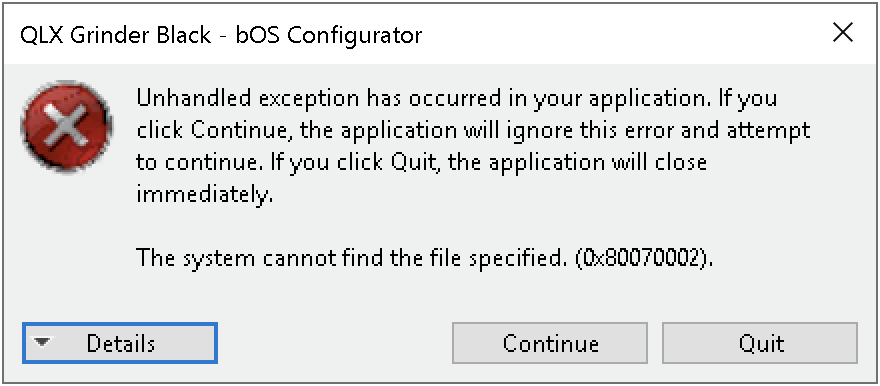
To troubleshoot, I tried installing the official Windows App on my Mac to handle the RDP connection, but it's the exact same story - same error message pops up.
My setup:
- MacBook Pro (i9 2.4GHz, 32GB RAM)
- macOS Tahoe 26.5
- Parallels 26.3.2 (6 CPUs and 16GB RAM allocated, network sharing enabled)
- ComfortClick Grinder Black server (just pulled it out of the closet after a 3-year break)
- Fully updated Windows 10. The OS keeps reminding me that support ended in October 2025, but I doubt that's what's causing this.
Has anyone run into this kind of RDP conflict before, or knows how to fix it?

Hello Grzegorz,
seems you're missing webview 2. Simply follow the instructions below:
https://docs.google.com/document/d/1e9t8AOI0ipNk_Nv5gWM1LIF9P4C5uDxGkeSHvai4Evg/edit?tab=t.0#heading=h.p6m1gi904pe
best regards.