bOS Configurator and bOS Client do not open

Hello! bOS configurator and bOS client do not start in my Windows 11 laptop after an update. First I updated my office server (CC Jigsaw), then the bos configurator got updated.
After this I tried to start the bOS Configurator and a pop-up error message displayed about the update of ".NET-desktop runtime 6.0.0".
When I clicked the OK button on the error message the web browser opened so i can download the last update (6.0.35). After the installation the same error message kept appearing so I downloaded manually the 6.0.0 version.
Finally, there wasn't any error message but both softwares do not start. I double-clicked on the shortcuts and right-clicked>open but the only thing that happened was for the "busy" cursor to appear for a couple of seconds. Any ideas?
Thank you in advance


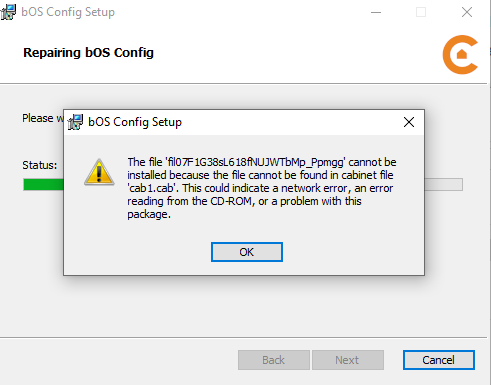

Hello all,
sorry to hear some of you are experiencing connection issues with the latest update.
The 4.11 version is a big overhaul on the backend that requires additional updated services from Microsoft as well (newer .NET).
Newer machines with updated windows are already running those, some need to be installed manually.
When updating you should get a propt, notifying you for these updates.
I'd also suggest opening a ticket on our ticketing system so we can schedule a quick remote session and check the problem together.
https://www.comfortclick.com/SupportTickets
Best regards.