ComfortClick 4.11.x update issues

Avatar
  • updated
  • Under review

Anyone experiencing issues installing server/configurator  with the latest 4.11.x version, make sure youre .NET is updated to version 6.0.

Make sure to install both ASP.NET Core Runtime 6.0.35 And .NET Desktop Runtime 6.0.35

Official Microsoft link:
https://dotnet.microsoft.com/en-us/download/dotnet/6.0


Or better yet, install the full SDK 6.0

Official Microsoft link:

Windows x64 bit:
https://dotnet.microsoft.com/en-us/download/dotnet/thank-you/sdk-6.0.427-windows-x64-installer

WIndows x86 bit:
https://dotnet.microsoft.com/en-us/download/dotnet/thank-you/sdk-6.0.427-windows-x86-installer


For any other issues with the latest version, please create a ticket on our ticketing system:
https://www.comfortclick.com/SupportTickets


Thank you and best regards, Comfortclick support.

Avatar
Pascal Platteel

After the update, all the onvif camera's stopped working. No JPEG or MPEG streams available, even though the system reports camera's connected. 

Currently on 4.11.5

Avatar
ComfortClick Support
  • Under review
Quote from Pascal Platteel

After the update, all the onvif camera's stopped working. No JPEG or MPEG streams available, even though the system reports camera's connected. 

Currently on 4.11.5

Hello Pascal,

we are sorry to hear about that. Please create a support ticket in our ticketing system and we will organize support session.

Best regards

Avatar
netit

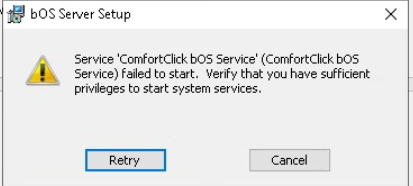
On Windows 10, when updating to 4.11.x, I get a "Verify that you have sufficient privileges to start system services".
I'm on .NET 6.0 (even tested .NET 8.0).

Image 5233

Avatar
ComfortClick Support

Hello,

the sufficient privileges error indicates that the .net is missing. You can also try and install full SDK for 6.0.

Best regards.

Avatar
Jürgen Jürgenson

Hey

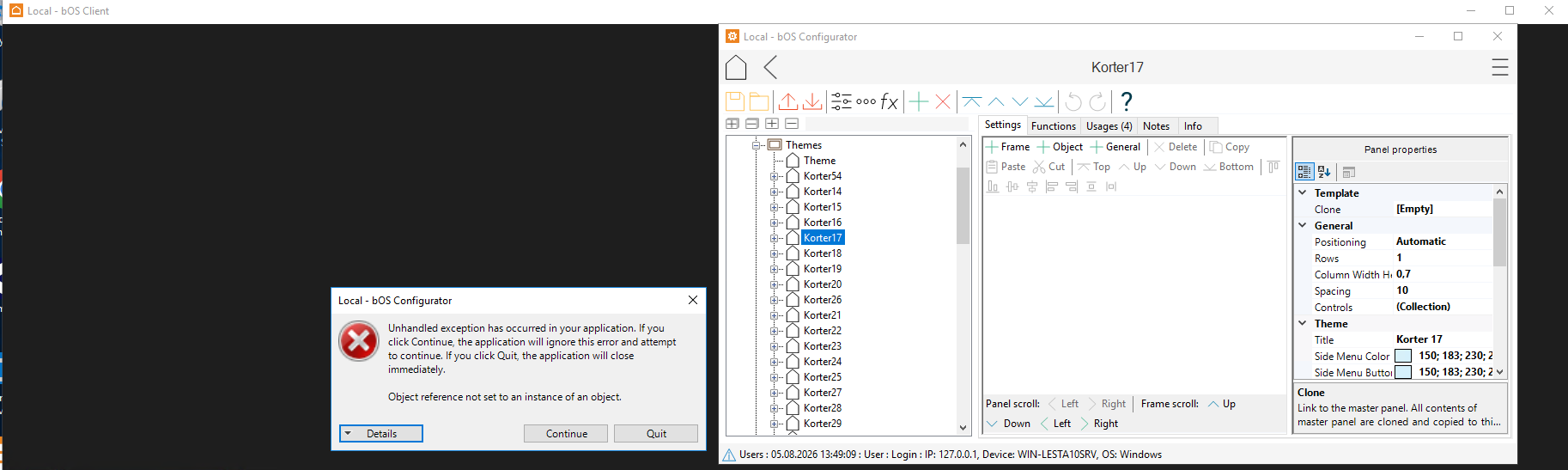
Seems that the new 4.11.61 also needs a new dotnet-sdk-10.0.302-win-x64 update. Otherwise it displays an error if you open Themes/update window in config or bOS client(stays black for me in windows). After dotnet update it works again.

Edit: As the ticket was automatically closed I wont make another. Please fix so I can re-open tickets. Not interested making new tickets for same problem.
I was wrong. The error is still there just not instantly:
bOS client opened fine - when I tried to open theme it displayed this error and nothing is shown - also client goes black.

Image 5621

Edit 2: I installed back dotnet sdk 6. The error is still there. At first it opened themes in config without errors and theme was shown - but after about 5 checks it got the same error. And bOS client goes black again. Server is on 4.11.61

Avatar
ComfortClick Support

Hello Jurgen,


the current 4.11 version had no changes or additional requirements for new or update of .NET, so strange you got these errorrs here.

Could you email us the full "details" info you get under this error?
This could be a webview issue here as well, try to reinstall it if possible.


Best regards.

Avatar
Jürgen Jürgenson
Quote from ComfortClick Support

Hello Jurgen,


the current 4.11 version had no changes or additional requirements for new or update of .NET, so strange you got these errorrs here.

Could you email us the full "details" info you get under this error?
This could be a webview issue here as well, try to reinstall it if possible.


Best regards.

All good now. After dotnet repair its working again. Happened on 3 sites with 4.11.61.